
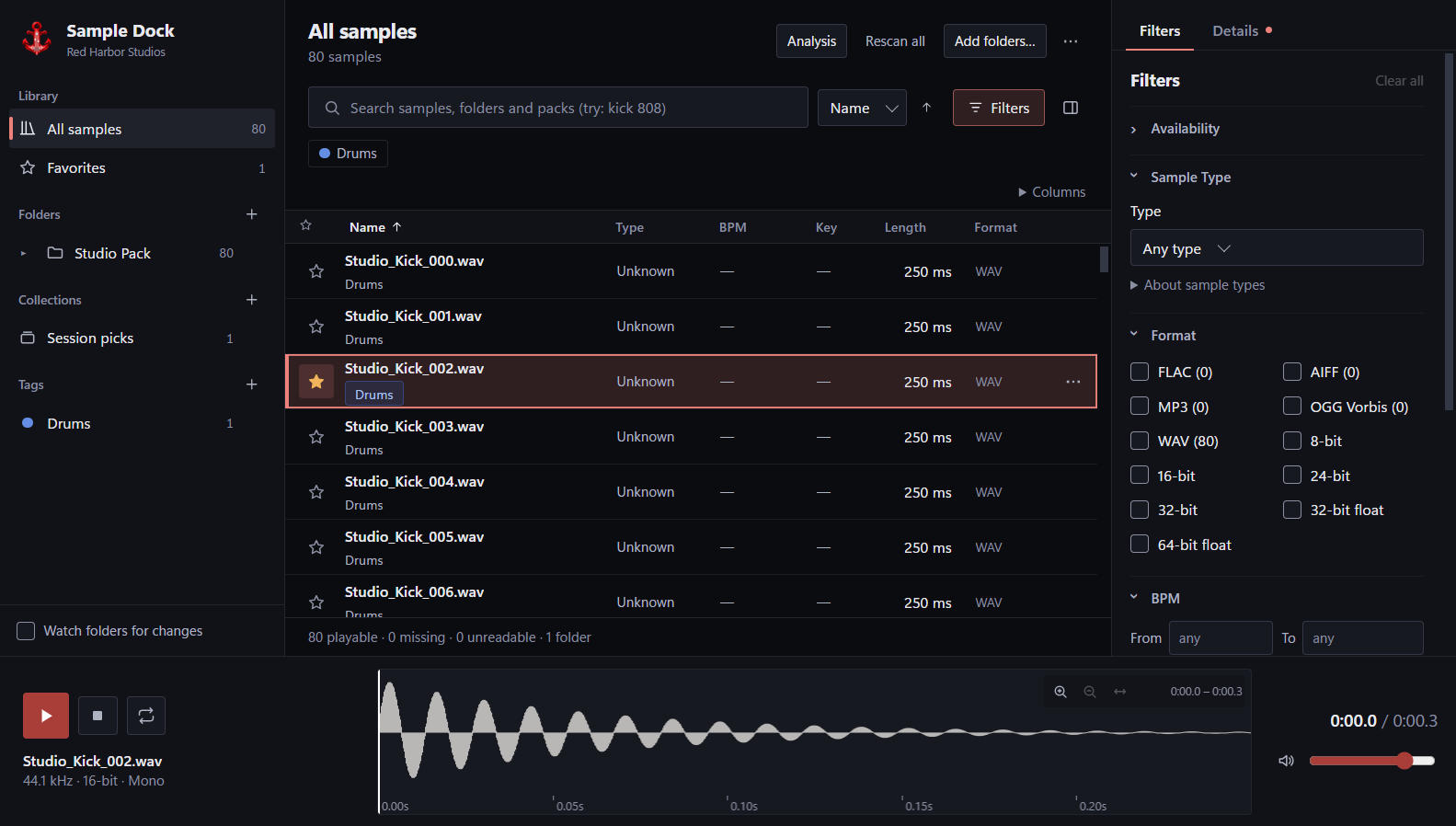
Find anything fastFast search
Search across large sample libraries almost instantly and narrow results with folders, tags, favorites and other filters.
Harbor Dock / Beta 0.7.2
Harbor Dock gives your entire sample library one fast, organized home. Add your folders once, then search, filter, preview and find the sound you need without digging through endless directories.
Everything stays local on your computer, and the desktop app and VST3 plugin share the same library — so your samples are always where you need them.
Free to use. Local-first. No cloud upload required.
Harbor Dock
Search across large sample libraries almost instantly and narrow results with folders, tags, favorites and other filters.
Keep your existing sample folders while adding favorites, tags, collections and nested organization inside Harbor Dock.
Listen to samples directly from the browser with waveform seeking, looping and volume control before adding them to your project.
Select a sample and discover other sounds in your library with similar audio characteristics — all processed locally.
Harbor Dock analyzes your samples for useful information such as BPM, musical key, loudness and sample type.
Use the standalone desktop app or open Harbor Dock as a VST3 plugin inside your DAW. Both use the same local library.
Drag samples directly from Harbor Dock into supported DAWs and creative applications without extra export steps.
Harbor Dock is designed to stay responsive even with very large sample collections, so browsing doesn't become slower as your library grows.
Your sample library and audio analysis stay on your computer. Harbor Dock doesn't need to upload your collection to a cloud service.
Browse and preview WAV, FLAC, AIFF, MP3 and OGG files from one library.
Free Windows beta
Harbor Dock 0.7.2 Beta
Windows · Desktop + VST3
Windows may show a SmartScreen warning because the beta installer is not yet code-signed.
C:\Program Files\Common Files\VST3. Windows asks for administrator permission for that component.Optionally compare this checksum with the downloaded installer using PowerShell:
Get-FileHash -Algorithm SHA256 -LiteralPath 'SampleDockSetup-0.7.2-unsigned.exe'Expected SHA-256:
86ccdd52d07507aa1d9ef41500768ddcd4a640419a76bd277e0d399070292f46A matching checksum confirms the file matches this release. It does not identify a signed publisher.
BPM detection, key detection, similarity quality and sample-type classification are Experimental. Check analysis results by ear.
VST3 browser currently tested primarily in FL Studio. Compatibility with other DAWs has not been verified.
The current Windows beta includes the desktop app and VST3 browser in one installer.
Formerly Sample Manager. The new name retains the existing local catalog, settings and VST3 identity. Existing installations update in place; source audio remains untouched.
The official Red Harbor Studios artwork is now included in the desktop app, native browser and Windows icons.
Tested so far: install and upgrade on our development machine, plus automated install, update and uninstall checks. Not yet tested: a full install-to-uninstall cycle on a clean Windows machine, and reopening archived FL Studio projects saved before the rename.
No account required. Sample audio stays local.
FAQ
Harbor Dock is a local-first sample manager for music producers. It helps you search, organize, preview and discover samples across your existing sample folders from a desktop app or VST3 plugin.
Yes. Harbor Dock is currently available for free during the beta.
No. Harbor Dock is designed around a local-first workflow. Your library, sample metadata and audio analysis remain on your computer.
Yes. Harbor Dock includes a VST3 plugin that gives you access to the same library used by the desktop application.
Harbor Dock currently supports WAV, FLAC, AIFF, MP3 and OGG files.
Yes. Samples can be dragged directly from Harbor Dock into supported DAWs and other applications that accept audio file drag-and-drop.
Find Similar analyzes the characteristics of a selected sound and searches your local library for samples with similar audio properties. It is designed to help you discover alternatives without manually browsing folders.
Yes. Harbor Dock can analyze samples locally and provide information including BPM, musical key and loudness. It can also classify samples to help with browsing and filtering.
Harbor Dock is designed with large libraries in mind. Its indexing and search systems are optimized to keep browsing and searching responsive even as your collection grows.